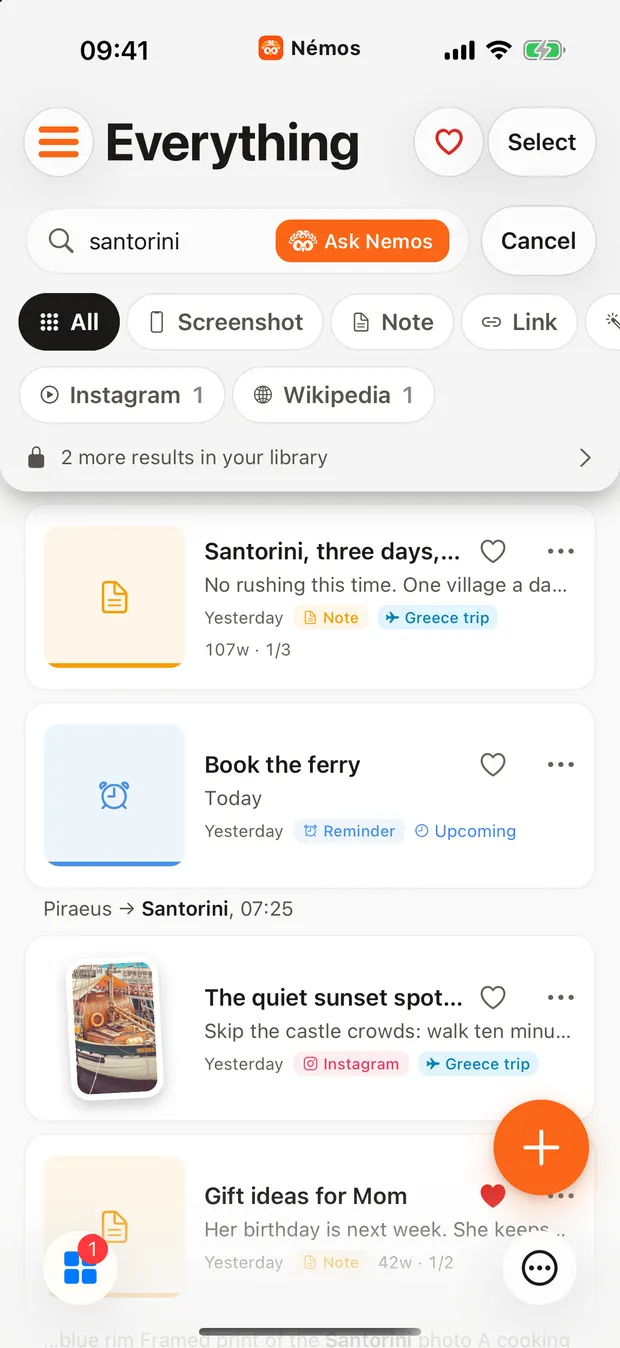
One word finds it.
One search runs across your links, the words inside your screenshots, notes, voice transcripts and documents at once, so you never need to remember which app you used.

How it works
Words inside screenshots
Every screenshot is read on your iPhone, so its words become searchable. Look for boarding pass and the screenshot appears, even though you never tagged it.
Files too
PDFs, documents, spreadsheets and ebooks are searchable by what is inside them.
From the Home Screen
Search is in Spotlight, so you can start without opening the app.
People use it for
- A door code in a screenshot
- That ramen place from a Reel
- A line from a PDF
Good to know
Search finds what you saved in Nemos. It does not reach the Photos library or other apps until you bring those items in.