Demo: search your saved content the way you remember it and Nemos finds it instantly.
Search like you remember
🥩
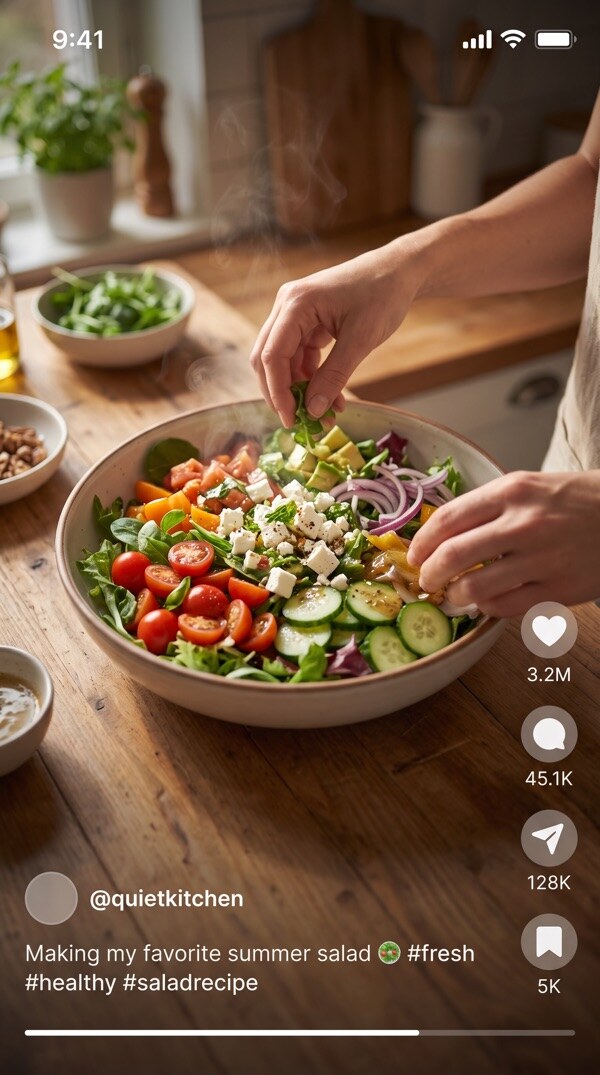
Wagyu Steak — @chef_marco
ReelRecipe
Found in 0.2s
What Nemos is
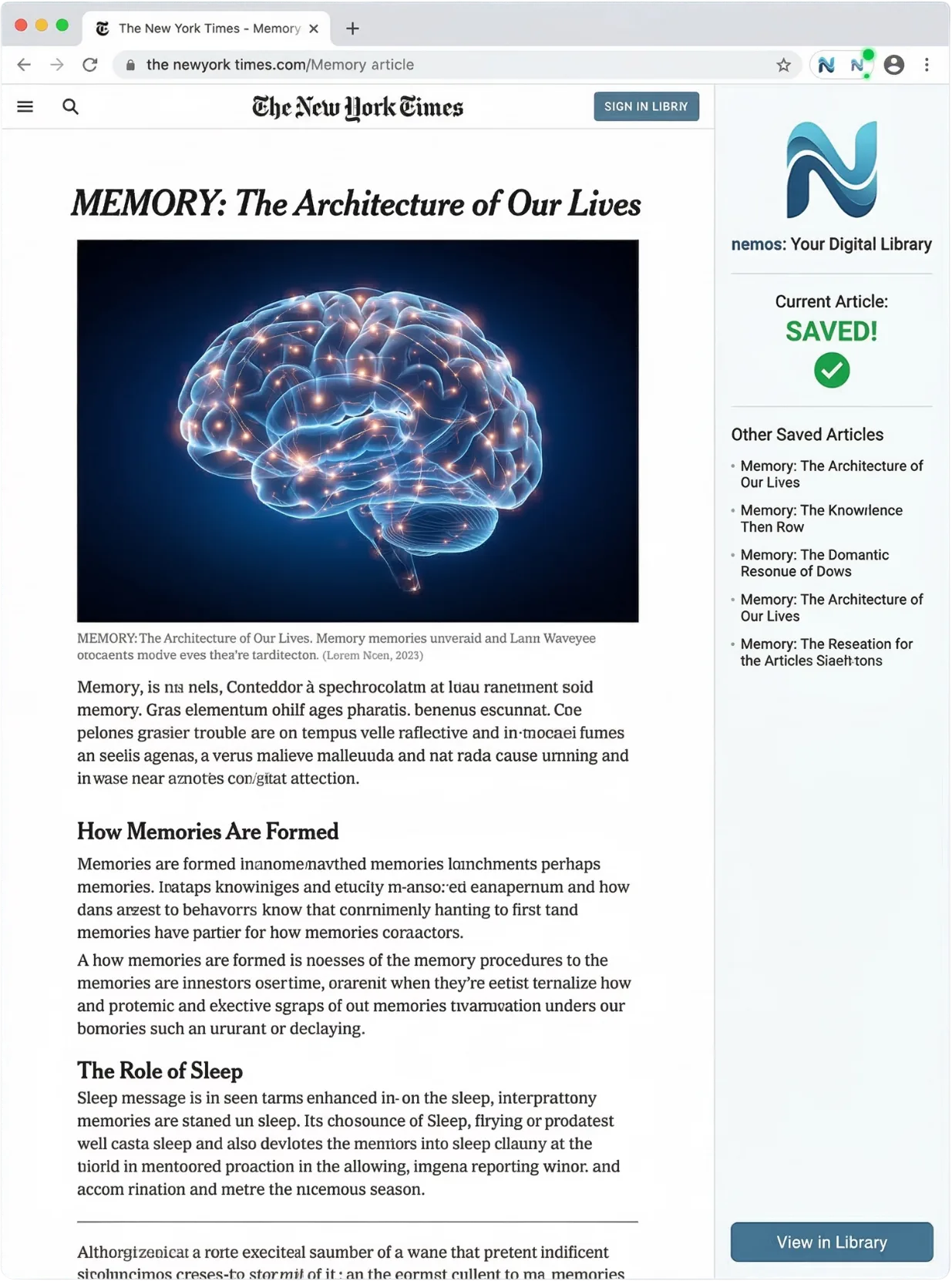
Nemos is a memo app for iPhone, iPad and Apple Watch, with Chrome and Safari extensions. It saves more than fifteen kinds of thing — notes, voice memos, screenshots, links, PDFs, videos, places and books — then names, files and indexes each one so you can find it again by typing a single word, including words spoken inside a recording or printed inside an image.
The naming, transcription and search run on your own device using Apple Intelligence. Cloud models exist for heavier work, are opt-in, and are marked before you use one. Nemos is free to download from the Apple App Store and has been available since 6 September 2026. Pro is an optional subscription.
“An interesting app for memorization. Highly recommended!”
RBRay-bp🇻🇳 Vietnam ·
On-device AI by default. Your library stays on your phone.
Free on iPhone and iPad · No credit card
Screenshots, links, notes, audio — all searchable in one place.
Free on iPhone and iPad · No credit card
Daily habits, voice memos, and ebooks — organized automatically.
Free on iPhone and iPad · No credit card
Share folders with a link. Organize everything in one place.
Free on iPhone and iPad · No credit card
Try Pro
Seven days free, on the yearly plan
Nemos is free to download and free to keep using. Pro adds unlimited saves, unlimited smart folders, longer transcription and the full assistant — and the yearly plan starts with a week at no charge.
Weekly
$4.99 / week
No free trial on this plan.
Monthly
$12.99 / month
No free trial on this plan.
Yearly
$79.99 / year
7 days free, then billed yearly. Works out 49% cheaper than paying monthly.
Free for 7 days, then $79.99 a year. It renews automatically until you cancel, and you can cancel any time in your Apple account settings.
Prices are US App Store, checked September 2026. Your local price and currency are shown in the app before you confirm anything.
Whatever you screenshot, Nemos reads it, labels it and makes it findable — on your iPhone, with on-device AI by default.
Your assistant
Ask Mnemosyne
Just describe what you're looking for. She'll find it.
Search by description
"that hotel Marcus sent me" — found in 2s
Searches everything you've saved
Screenshots, links, notes, voice memos — all searchable
Completely private
On-device by default — cloud AI only if you turn it on
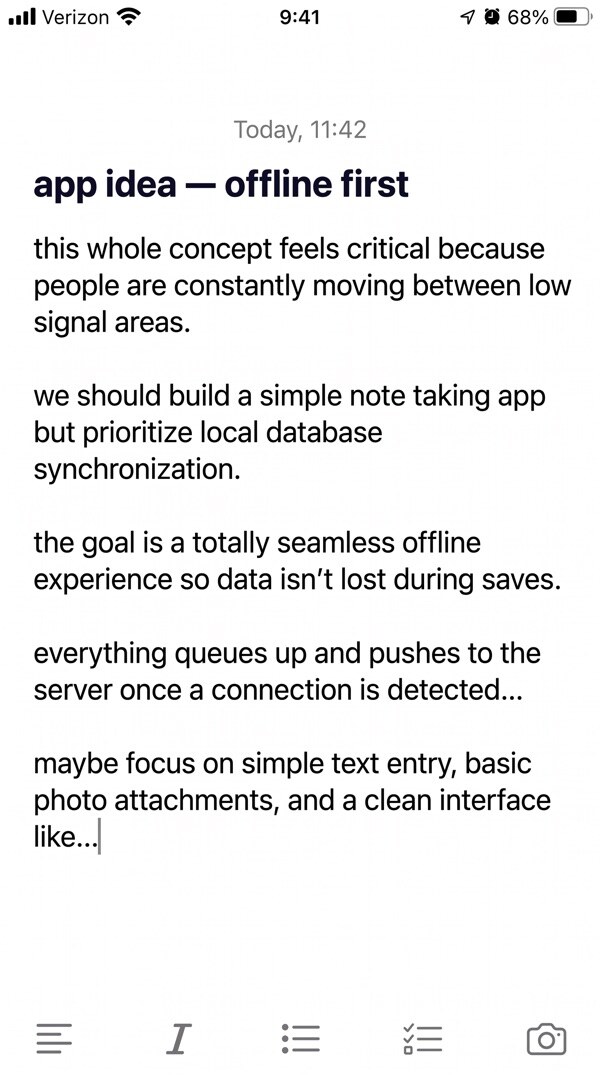
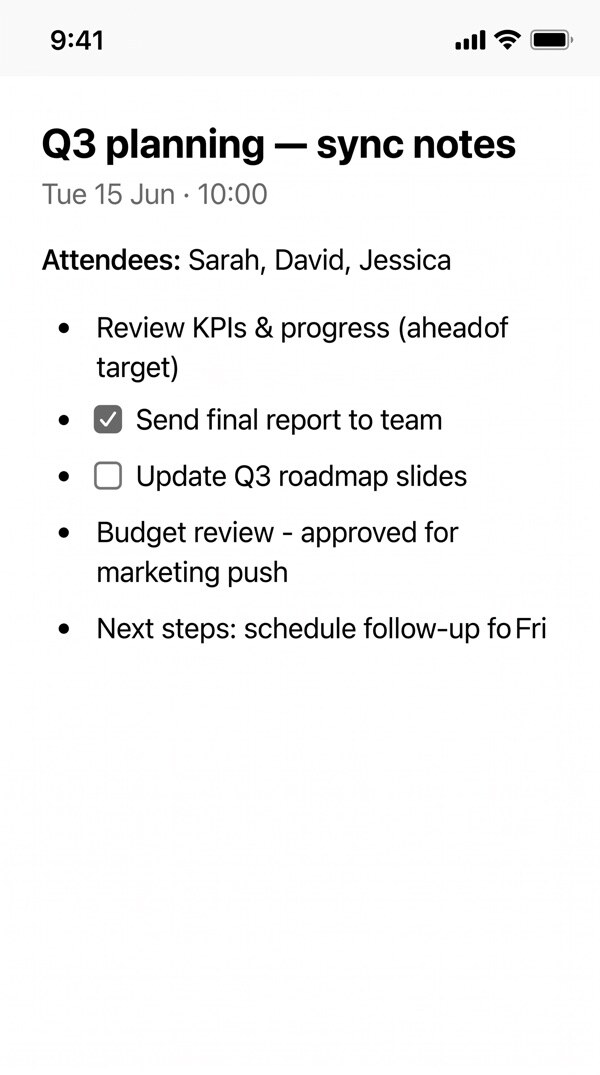
Notes & drafts
Capture a thought before it disappears.disappears.disappears.
Write it down before you forget. Private, works offline, and syncs everywhere.
B
I
U
S
Synced
Trip to Japan 🇯🇵
Flights
●Book ANA direct — cheaper on Tuesdays
●Window seat, left side for Mt. Fuji
Check if JR Pass is worth it for 7 days
Packing
Passport — valid until 2028
Portable Wi-Fi — reserve online
Download offline maps for Kyoto
Tags:TravelJapanPlanning847 words
B
I
U
S
Synced
Product Launch Checklist
Pre-launch
Final QA pass on all flows
Press kit ready for distribution
App Store screenshots updated
Launch Day
●Submit to App Store at 6 AM
●Email blast to waitlist at 9 AM
Remember: stagger social posts over 3 hours
Tags:WorkLaunchQ2412 words
B
I
U
S
Synced
Morning Routine Ideas
6:00 AM
●Wake up — no phone for 30 min
●Cold shower or 10 min stretching
6:30 AM
●Journal — 3 things I'm grateful for
●Review today's top 3 priorities
Key: consistency > intensity
Try this for 21 days straight
Tags:PersonalHealthHabits256 words
Ebook reader
Read. Highlight.Remember.
Every annotation becomes searchable.
The Garden of Memoryby Elena Marchetti
AA
Ch. 3·42%
0
Chapter Three — The Window
The old man sat by the window, watching the rain trace silver paths down the glass. He remembered mornings like this from decades ago — the smell of wet earth, the sound of his mother humming in the kitchen, the way the world felt infinite and unhurried. Time had not been kind, but memory was generous.
He opened the journal on his lap and began to write — not to remember, but to understand. Some things only make sense when you see them on the page.
Notes & Annotations
Beautiful imagery — rain as silver, glass as lens
Core theme: nostalgia as shelter from time
Sensory triplet: smell, sound, feeling
Key metaphor: time vs memory — opposition that resolves
Highlights
3
3
3
3
Page 87 of 204
Import any ePub
4 highlight colors
Margin annotations
Every highlight searchable
Synced across devices
Offline reading
Quick review
Swipe to organize
Review your saved content with a swipe. Keep what matters, remove the noise. Like cleaning your room, but satisfying.
KEEP
Video
Instagram Reel — Morning Routine
ReelLifestyle
3 min ago
KEEP
Note
Tartine Bakery was incredible. The Mill on Divisadero too — best coffee & toast combo. Need to book that Napa day trip before we leave...
218 words
Trip Notes — San Francisco
TravelSF
Today, 6:12 AM
SKIP
Place
Old Map Screenshot — Duplicate
PlacesDuplicate
3 weeks ago
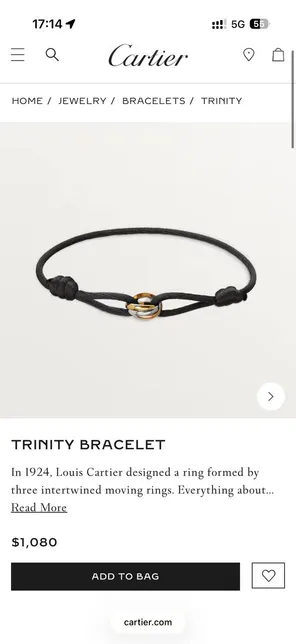
cartier.com
Cartier Love Bracelet — Saved from Safari
WishlistJewelry
Yesterday
Scroll to review cards
How Nemos Works — Step by Step
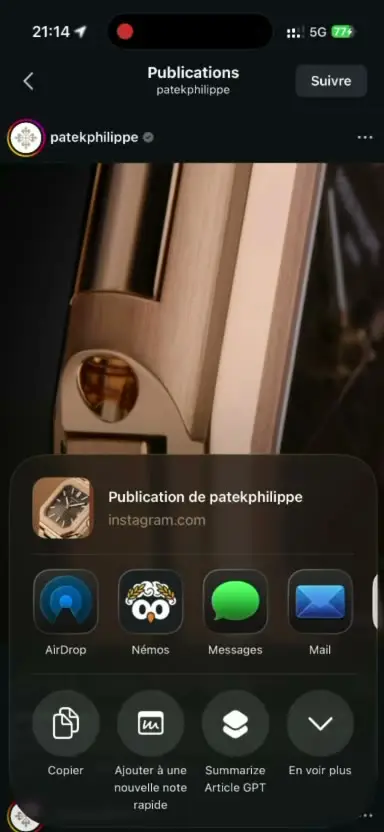
Step 1: Save anything — Take a screenshot, paste a link, record a voice memo, or import any file (PDF, video, photo, document). Nemos accepts screenshots, links, notes, voice memos, PDFs, places, and more. One tap and it is saved.
Step 2: It names itself — Nemos uses on-device AI to read the content, generate a descriptive name (for example, "Wagyu Steak — @chef_marco"), apply relevant tags (like "Recipe", "Steak"), and file it into the right folder (like "Cooking") — all automatically in seconds, with no internet required.
Step 3: Find it instantly — Type what you remember (like "steak recipe") and Nemos finds it in under a second. Search works across all content types, including OCR text from screenshots and transcribed text from voice memos.
Threesteps.That'sit.
1
Step 1
Save anything
Screenshot, link, voice memo — one tap and it's saved.
Screenshot
Link
Voice
📄PDF
Note
Place
2
Step 2
It names itself
Nemos reads it, tags it, and files it. You do nothing.
3
Step 3
Find it instantly
Type what you remember. It's right there.
Threesteps.That'sit.
1
Step 1
Saveanything
Screenshot, link, voice memo — one tap and it's saved.
Screenshot
Link
Voice
📄PDF
Note
Place
2
Step 2
It names itself
Nemos reads it, tags it, and files it. You do nothing.
3
Step 3
Find it instantly
Type what you remember. It's right there.
Private by architecture
We don't know what you save. That's the whole point.
No trackingNo adsNo data sellingNo analytics
Everything you save is encrypted. We can't see your content. We don't want to.
✨Built for you, not advertisers
🔒Encrypted
📡Works offline
📦Your data, always
The essentials
Everything you need, nothing you don't
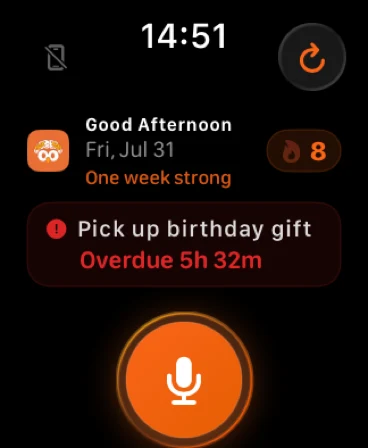
Reminders that follow you. Places you save. Folders you share. Routines you build. All in one place.
Reminders
Nemosnow
Water plants
Due in 15 minutes · Home
Today's Reminders
4 reminders
Call dentist
9:00 AM
Water plants
2:00 PM
Pick up dry cleaning
5:30 PM
Team standup notes
Tomorrow
+2 more
Places
Home
Work
Café
Gym
4 saved places
Routines
M
T
W
T
F
S
S
6:30AM
Morning stretch
7:00AM
30-min run
7:45AM
Read 20 pages
8:30AM
Deep work block
12:00PM
Lunch break
Shared folders
Apartment Hunting
Shared folder · 24 items
Live
3 collaborators
Sarah added a screenshot
2m ago
Marcus saved a link
5m ago
You created a note
12m ago
Invite via iCloud
Wagyu steak from @chef_marco
Instagram
How to style a small apartment
YouTube
Best neighborhoods in Brooklyn
nytimes.com
Apartment viewing notes
1:243:02
Optimize
Swipe to organize
Review your saved content with a swipe. Keep what matters, remove the noise. Like cleaning your room, but satisfying.
KEEP
Wagyu steak from @chef_marco
Instagram · Social
Wagyu steak from @chef_marco
InstagramSocial
Remove
Keep
How to style a small apartment
YouTubeVideo
The psychology of productive spaces
Articlemedium.com
Swipe to decide
The payoff
Save it. Forget it. Find it later.
No more scrolling through photos. No more lost bookmarks. No more "where did I put that?" Just peace of mind.
Read before you decide
Guides, comparisons and workflows from the Nemos blog.
Nemos is a super intelligence (SI) app for iPhone, iPad and Apple Watch that saves, finds and organizes everything you keep: links, screenshots, notes, voice notes, files, tasks and routines. One search finds it again, even text inside a screenshot or a phrase from a recording. Its private artificial intelligence (AI) runs on your device by default.
Is Nemos private? Does it upload my data to the cloud?+
Yes, and here is exactly where your data goes. Your library lives in your own iCloud account, not on Nemos servers, and syncs only between your own Apple devices. Screenshot text is read on your iPhone, and AI runs on your device by default. Two things can use the cloud: the assistant, only if you turn a cloud model on, and recordings you make with the record button, which are transcribed by Speechmatics for accuracy unless you turn on “Transcribe on this device” in Settings. No ads, no data sales.
How much does Nemos cost?+
Nemos is free with unlimited saves across all 15+ content types — the free tier keeps your 100 most recent items in view, with no notebook limits and no ads. Pro is $12.99/month, with weekly and yearly plans too (the yearly plan starts with a 7 days free trial), and adds unlimited recording, unlimited active reminders, smart folders, more cloud transcription and the full assistant. The free tier stays free.
Can Nemos organize iPhone screenshots automatically?+
Yes — screenshot organization is what Nemos does best. Every screenshot you save gets read by on-device OCR, named by AI, filed into the right Smart Space, and indexed for search in seconds. Type 'hotel booking' and every screenshot containing that text surfaces instantly.
Can I chat with my saved notes using AI?+
Yes. Ask natural-language questions about your saved content — Nemos answers using only your own notes, screenshots, voice memos and PDFs, and shows the note, screenshot or link each answer came from. The assistant runs on your device by default and uses a cloud model only if you turn one on.
How is Nemos different from Apple Notes?+
Apple Notes is a text-first note app. Nemos is an auto-organizing second brain for 15+ content types with on-device OCR, voice transcription, AI chat-with-notes, Smart Spaces, and shareable folders. They work together — Nemos syncs with Apple Notes, Reminders, and Calendar.
What iPhones does Nemos work on?+
Any iPhone or iPad on iOS 17 or later, and Apple Watch on watchOS 11 or later. Features built on Apple Intelligence need iOS 26 on an Apple Intelligence iPhone (iPhone 15 Pro and later) or an M-series iPad.
Is Nemos on the App Store?+
Yes. Nemos launched on the App Store in September 2026 and is free to download for iPhone and iPad on iOS 17 or later. Pro is an optional subscription for advanced AI features.
Save on one device, it appears on all of them — private and instant
Shared folders
Share a folder. Instantly.
Send a link. That's it. No sign-up needed.
Marcus Rivera
Organizer
Marcus Rivera
Organizer
Sarah Chen
Editor
Sarah Chen
Editor
Daniel Park
Viewer
Daniel Park
Viewer
Leila Nakamura
Owner
Leila Nakamura
Owner
+5
Tokyo Reel
Reel
Shibuya Map
Place
Shopping List
Link
Travel Guide
Book
Packing Notes
Note
Trip to Japan 2026
5 items · Shared with 8 people
Live activity
Synced
Tokyo itinerary screenshot
Marcus · 2 min ago
Screenshot
Flight confirmation PDF
Leila · 1 hour ago
PDF
Airbnb listing — Shibuya
Sarah · 3 hours ago
Link
Packing list
Daniel · Yesterday
Note
nemosapp.com/share/trip-japan-2026
🔗One link to share
⚡Real-time sync
🛡️View or edit access
🍎Apple devices
Perfect for
🍳Family recipes
🎓Study groups
🏠Apartment hunting
✈️Trip planning
🛒Wish lists
📐Design inspo
AI-powered Smart Spaces
Collections that build themselves.
Set a filter. Everything matching lands there automatically.
Reels
Shopping
Places
Books
Notes
Recipes24 items
AI-powered Smart Spaces
Collections that build themselves.
Set a filter. Everything matching lands there automatically.
Reels
Shopping
Places
Books
Notes
Recipes24 items
Voice memo transcription
Record. Nemos cleans it up.
Scroll to see the recording in action
Loading...
Voice memo transcription
Record. Nemos cleans it up.
What you said
“So um yeah the birthday party is on Saturday the 15th and uh I was thinking we should like get that chocolate cake from, from the bakery on Main Street and um also we need balloons and like streamers and stuff”
Enhanced
What Nemos makesBullet points
●
Birthday party on Saturday the 15th
●
Order chocolate cake from that bakery on Main Street
Save screenshots, links, notes, voice memos, PDFs, videos, places, books, and 15+ content types in one app
Auto-name and auto-organize everything using on-device AI — no manual tagging needed
Full-text search across all content types including OCR from screenshots and transcribed voice memos
Works with your favorite apps: Pinterest, YouTube, Amazon, Safari, Instagram, Books, X, TikTok, and more
Native integration with Apple Notes, Reminders, Calendar, Photos, Files, Maps, and iCloud
Save anything from the web: social posts, recipes, articles, places, videos, podcasts — all in one tap
Save anything, find everything
Social posts, recipes, articles, places, videos, podcasts — all in one tap.
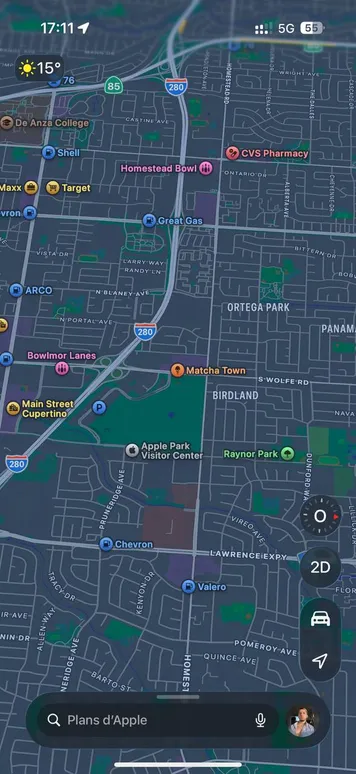
📍Tartine Bakery, SF
$1,080
Cartier
Saved from Safari
📍
The Mill, San Francisco
736 Divisadero St · Coffee & Bakery
Nike
Saved product
+
Add new item
Tee
@BrainyBeacon
I used to lose every link, screenshot, and voice note I saved. Built something that finally remembers everything for me. It even names and organizes it. My brain feels lighter 🧠
Mar 8, 2026
891
4.7K
Reel
Pinterest
YouTube
Amazon
Safari
Instagram
Books
X
TikTok
Pinterest
YouTube
Amazon
Safari
Instagram
Books
X
TikTok
What people save
Twelve kinds of thing, one inbox. Nemos names and files each one for you.
Screenshots
Articles
Web pages
Notes
Ideas
Receipts
Books
Work
Checklists
Read later
Hidden gems
Loose ends
Everything in one place
Screenshots, links, notes, audio, and more — saved, organized, and searchable.